


LongHorn Steakhouse®
4.02.86K Reviews
App Specs
- Version
- 7.6.0
- Updated On
- License
- Free
- Downloads
- 500,000+
- Developer
- Darden Restaurants, Inc.
- Categories
- Food & Drink
- Platform
- Android, iOS
Screenshots
 Analysis by AppCompare
If you are planning a steakhouse visit and want to handle the practical details before you arrive, LongHorn Steakhouse® is a useful Food & Drink app to keep on your phone. I found its best qualities in three simple tasks: browsing the restaurant menu, arranging an order to take away, and joining the wait list before heading over. It also brings mobile payment into the same experience, which can make a busy meal feel a little easier to manage.
The app is free, aimed at everyone, and developed by Darden Restaurants, Inc. It has built a solid audience, with more than half a million installs and a four-point average from roughly eight thousand ratings. Those figures suggest that it is not an experimental companion app, but I would still judge it by how smoothly it handles the moments that matter: choosing food, preparing an order, and getting through a restaurant visit without unnecessary steps.
What to expect before you use it
The first thing to understand is that this is not a general restaurant discovery tool. Its value is tied specifically to LongHorn Steakhouse locations and the decisions you make around a visit. I would install it when I already know I want LongHorn, rather than expecting it to help me compare several nearby restaurants or plan an entire evening.
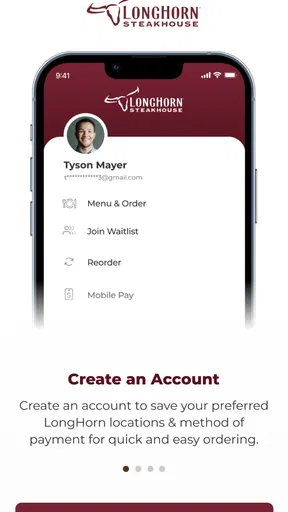
The menu is the natural starting point. Looking through it on a phone is more comfortable than trying to make a decision while standing at the host stand, especially when several people are ordering together. I can take a moment to consider the main dishes, sides, and other available choices instead of asking everyone to decide under pressure.
That menu-browsing role is more useful than it may sound. A steakhouse meal often involves choices that affect the whole table: one person may want a full meal, another may prefer something lighter, and someone else may need to think carefully about sides or meal timing. Checking beforehand gives me a chance to settle those questions before I am distracted by a crowded dining room.
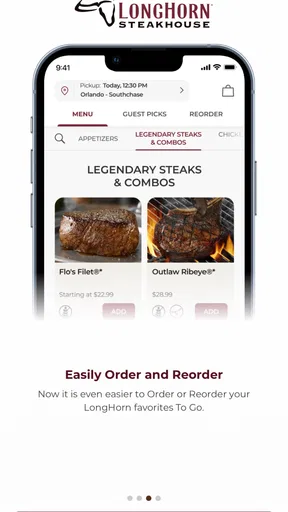
The app also supports To Go ordering. I see this as a practical option for a quiet meal at home, a planned pickup after work, or a situation where I want LongHorn food without spending time dining in. It is not automatically the best choice for every order, though. If I am already close to the restaurant and only need to ask a quick question, using the app may be more effort than simply speaking with staff.
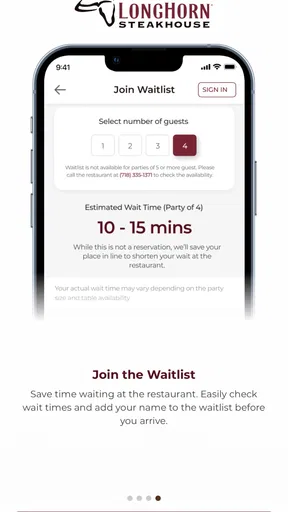
Joining the wait list is the feature I would value most on a busy day. Instead of arriving with no idea how long the wait may be, I can use the app as part of my preparation. The important habit is to treat the wait-list action as planning help, not as a guarantee that the entire visit will run on my preferred schedule. Restaurant traffic can change, and I would still leave enough flexibility in my plans.
Worth Reading Before You Choose

EA SPORTS FC Mobile 26 Is a Bigger Football Game, but It Takes Time

Flipboard Shows What News Apps Must Do Beyond the Feed

Switching to Android Auto Means Rethinking Your Driving Routine

Google Calendar Makes a Crowded Week Easier to Manage

Ludo King Makes the Most of the Minutes Between Plans

Baby Panda World Brings Quick Play to Modern Phones, but Its Game Library Feels Busy
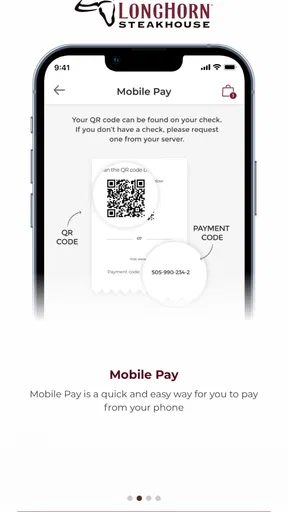
Mobile Pay rounds out the experience. For me, its advantage is not that paying by phone is revolutionary; it is that payment sits alongside the restaurant-specific tools. When I am already using the app to prepare for the meal, having a digital payment option can reduce the need to switch to another method at the end.
Who will get the most from it
I would recommend it most strongly to people who visit LongHorn more than once, families who like to decide meals in advance, and anyone who regularly chooses To Go instead of dining in. It is also a sensible fit for a first-time visitor who wants to understand the menu before making a reservation-like plan for the day.
A group organizer can get particular value from it. Before leaving home, I could look over the menu, ask the group what they want, and then decide whether ordering ahead or joining the wait list makes more sense. That small amount of preparation can prevent the familiar problem of reaching the restaurant and discovering that nobody has agreed on anything.
I would be less enthusiastic about installing it for a single spontaneous visit if I do not expect to use the restaurant again. In that case, a mobile browser or a direct conversation with the restaurant may be enough. The app becomes more worthwhile when its tools match a repeated routine rather than a one-time curiosity.
Getting ready for the first useful action
The app runs on iOS eleven or later, so I would check the device requirement before trying to install it on an older iPhone or iPad. The current version is 7.6.0, which is useful context for anyone comparing the app with an older installation already sitting on a device. Keeping the app current is usually sensible when the main purpose is ordering or payment, because those functions depend on a reliable connection between the phone and the restaurant.
Once installed, I would begin with the menu rather than jumping immediately into an order. This gives me a low-pressure way to learn the layout and see which parts of the app are relevant to my visit. It also prevents a common mistake: starting an order before I have decided whether I actually want To Go, dine-in, or simply a look at the available food.
My suggested first-session routine is straightforward:
Open the app and begin by browsing the LongHorn menu.
Decide whether the visit is for To Go, a restaurant meal, or basic planning.
If dining in, use the wait-list option when the timing makes sense.
If taking food away, move into the ordering process only after checking the meal choices.
Use Mobile Pay when it fits the way you want to complete the visit.
This order matters because it separates exploration from commitment. I prefer to understand what I am choosing before entering a workflow that may ask me to select a location or continue toward an order. It makes the first experience calmer and reduces the chance of tapping through screens without knowing what I am setting up.
A useful tip is to make the menu check part of the plan, not an afterthought. If I am ordering for several people, I can review the choices before the group gets hungry. If I am visiting the restaurant, I can use the same moment to decide whether joining the wait list is worthwhile. The app works best when I use it before the pressure of the meal begins.
Your first successful action
For a first-time user, I would define success as completing one small task rather than trying every feature at once. Browsing the menu is the safest first win. It shows how the app organizes LongHorn’s food choices and lets me decide whether the rest of the experience is useful for my plans.
If my actual goal is pickup, I would make a To Go order the first meaningful action. I would choose the restaurant carefully, review the order before moving forward, and pay attention to the distinction between selecting food for pickup and merely browsing. The most important check is simple: before confirming anything, I should be sure the selected location and intended order type match my plan.
For a dine-in visit, joining the wait list is the more relevant test. I would do it before leaving or while I am close enough to act on the information. I would not join far in advance just to feel organized if my arrival time is uncertain. The feature is most helpful when it supports a realistic arrival plan.
Mobile Pay is best treated as a later step, after I understand the rest of the app. Payment tools can feel convenient, but convenience depends on using them at the right point. If I am still deciding what to eat or whether I am dining in, there is no benefit in starting with payment. I would first solve the meal decision, then use the payment option when it naturally belongs in the visit.
One non-obvious advantage is that the app can act as a decision buffer. I can use it before the restaurant visit to turn a vague idea such as “let’s get LongHorn tonight” into a concrete plan: check the menu, choose between dining in and To Go, and judge whether the wait-list option fits. That is more valuable to me than simply having another way to view a menu.
A realistic evening with the app
Imagine I am leaving work with two family members and nobody wants to cook. We decide on LongHorn, but we do not know whether we should eat there or bring the meal home. I would open the app while we are deciding, browse the menu, and compare the convenience of To Go with the possibility of joining the wait list.
If we choose pickup, I would use the ordering path and review the complete selection before confirming it. If we decide to dine in, I would use the wait-list feature closer to the time we expect to arrive. In both cases, the app helps before the meal rather than merely documenting it afterward.
That workflow also shows the app’s main trade-off. It is helpful when I am making a LongHorn-specific plan, but it does not remove the need for judgment. I still have to choose the right location, allow enough time, and check that my order or wait-list decision suits the evening. The app organizes those choices; it does not make them for me.
Where first-time users may hesitate
The biggest source of confusion is likely the difference between browsing, ordering To Go, joining the wait list, and paying. They are related, but they serve different moments. A person who only wants to see the menu should not feel required to begin an order. Someone who wants a table should not assume that the To Go flow is the correct route. Thinking of the app as several connected tools makes the interface easier to understand.
Location choice deserves extra attention. Restaurant apps are most useful when the selected location matches where I will actually eat or collect the order. I would slow down at that point rather than tapping quickly, especially if there are several LongHorn restaurants within reach. A wrong location can turn an otherwise simple plan into an unnecessary correction.
Another practical limitation is that the app is tied to the restaurant’s own ecosystem. If I want to compare LongHorn with other steakhouses, search for a broad range of cuisines, or manage delivery from several restaurants in one place, a general food-ordering service may be more convenient. The trade-off is focus: this app is narrower, but that narrowness keeps its main tools centered on one restaurant brand.
I also would not rely on it as my only plan for an important timed event. Joining a wait list can improve preparation, but it does not turn a restaurant visit into a fixed appointment. If I need absolute certainty before a concert, flight, or other time-sensitive commitment, I would leave a generous buffer and consider contacting the restaurant directly if the timing matters.
People who dislike using a separate app for every restaurant may also prefer a browser or a general service. Installing a dedicated app takes storage and adds another interface to remember. In return, I get LongHorn-focused access to the menu, To Go ordering, the wait list, and Mobile Pay. Whether that exchange is worthwhile depends on how often I use the restaurant.
The age rating of Everyone makes the app approachable for a broad household, but that does not mean every feature will suit every person equally. A family may use it for menu planning, while an occasional diner may only need a quick glance. I would choose the level of involvement that matches the visit instead of treating every feature as mandatory.
Small habits that make it work better
I would keep the app as a planning tool rather than opening it only at the restaurant entrance. Checking the menu earlier gives me time to think, and checking the wait-list option at a realistic point makes the information more useful. This two-stage approach is more effective than trying to browse, decide, join, order, and pay in a hurry.
For group meals, I would settle the order type before collecting everyone’s choices. Mixing a dine-in plan with a To Go order can create confusion, particularly when people are deciding at different speeds. Once the group agrees on the basic plan, the app’s focused tools become easier to use.
I would also review the final order deliberately instead of assuming that the first selections are correct. This is especially important when ordering for other people. A careful pause before confirmation is a better safeguard than trying to fix a mistake after the order has moved forward.
My third practical insight is to use Mobile Pay as part of a complete routine, not as the reason to install the app by itself. If payment is the only feature I want, the app may not justify its place on my device. If I already value menu access, wait-list planning, or To Go ordering, Mobile Pay becomes a convenient finishing step rather than an isolated attraction.
My next-step recommendation
After the first successful menu check or order, I would keep using the app according to my dining pattern. Frequent LongHorn customers should explore the full sequence from menu browsing to the appropriate visit option. Occasional customers can keep it for the moments when planning ahead matters, particularly before a busy dinner period or when several people need to agree on food.
The app’s history also gives some perspective. It launched in September 2018 and has continued to the current 7.6.0 version, while Darden Restaurants, Inc. remains the developer behind it. I would not treat the release date as a reason to install or avoid it; what matters more is whether the present toolset fits my needs and works comfortably on my device.
In daily use, I see LongHorn Steakhouse® as a focused companion rather than a complete food-service platform. It does not need to replace every restaurant app or every way of ordering. Its strength is putting LongHorn’s menu, To Go planning, wait-list access, and Mobile Pay in one place, so I can prepare a visit without jumping between unrelated services.
The best reason to use it is simple: it turns a LongHorn visit from an improvised decision into a manageable plan. I would install it if I expect to eat there more than once, order meals to take away, or visit with people who benefit from deciding early. I would skip it if I only need broad restaurant comparisons or if a one-time visit does not justify a dedicated app.
Overall, I found it practical and easy to recommend to the right audience. Its focused design is both its strength and its limitation: LongHorn regulars get useful preparation tools, while casual diners may find a general alternative sufficient. For a first-time user, my advice is to start with the menu, choose the visit type carefully, use the wait list only when your arrival plan is realistic, and leave Mobile Pay until the rest of the meal is settled. That path gives the app a fair test without making the first experience more complicated than it needs to be.
Pros
- Easy access to the full menu
- including steaks
- sides
- and desserts.
- Useful for checking restaurant hours and nearby LongHorn locations.
- Online ordering can make pickup more convenient during busy periods.
- Menu details help compare cuts
- portions
- and available meal options.
- A familiar brand experience for fans of LongHorn’s signature dishes.
Cons
- Some features may depend on location and may not be available everywhere.
- Pickup and ordering availability can vary by restaurant operating hours.
- The app may offer limited value if you rarely visit LongHorn Steakhouse.
- Menu prices
- promotions
- and availability can change without notice.
- A stable internet connection may be needed for ordering and location tools.
FAQs for LongHorn Steakhouse®
What is the LongHorn Steakhouse® app used for?
The LongHorn Steakhouse® app is designed to make visiting the restaurant more convenient. After exploring it, the main features include browsing the menu, viewing food and drink details, finding nearby locations, checking restaurant information, and placing an eligible order for pickup or delivery. Availability can vary by location, so some options may not appear in every area.
Can I order LongHorn Steakhouse® food for pickup or delivery through the app?
In supported locations, the app allows customers to browse available menu items and submit orders for pickup or delivery. During testing, ordering options depended on the selected restaurant, operating hours, local service coverage, and whether delivery is handled directly or through a third-party provider. Before confirming payment, carefully review the estimated preparation time, fees, address, and order details.
Does the LongHorn Steakhouse® app show the complete menu and prices?
The app provides useful menu information, including categories, descriptions, and prices for many items. However, the displayed menu may change according to the restaurant location, current promotions, availability, and regional offerings. Prices, ingredients, nutrition details, and customization choices should be checked for the specific location selected, since they may differ from information found in another restaurant or on an older menu.
Can I make a reservation or join a waitlist with the LongHorn Steakhouse® app?
Reservation and waitlist features may depend on the restaurant and the services currently supported in your area. The app can provide location details and restaurant information, but not every LongHorn Steakhouse® location necessarily offers the same booking tools. If a reservation or waitlist option is not displayed, contacting the restaurant directly is the safest way to confirm seating availability and expected wait times.
Is the LongHorn Steakhouse® app free, and what should I know before downloading it?
Downloading the LongHorn Steakhouse® app is generally free, although normal mobile data charges may apply and purchases made through the app are not free. You may need to create or use an account for certain ordering or rewards features, and the app can request location, notification, and payment-related permissions. Check the developer name, supported device version, privacy information, and current store reviews before installing.


